Local voice for Home Assistant: the hardware you really need
 Andrea R.
The short answer: if your Home Assistant runs on a Home Assistant Green or a Raspberry Pi, you can already have a fully local voice assistant for home control, using Speech-to-Phrase for speech-to-text and Piper for the spoken reply. You need more hardware only if you want open-ended speech: Whisper wants at least an Intel N100-class mini PC, and a useful local LLM through Ollama wants a separate machine with plenty of memory, ideally a GPU.
Most "local voice" tutorials start with the shopping list. This guide starts from the other end: what you already own, what it can realistically run, and where the next upgrade actually pays off. Every speed figure below comes from Home Assistant's own documentation or from Ollama's model library, not from our own benchmarks.
Key takeaways
- Speech-to-Phrase transcribes in under one second on a Home Assistant Green or Raspberry Pi 4, and in about 150 ms on a Raspberry Pi 5, but it only knows home-control phrases.
- Whisper understands almost anything, but takes around 8 seconds per command on a Raspberry Pi 4. Home Assistant recommends at least an Intel N100 for its Base model.
- Piper, the local text-to-speech engine, produces about 1.6 seconds of speech per second of processing on a Raspberry Pi with medium-quality voices.
- A local LLM via Ollama runs on a separate server; Home Assistant suggests exposing fewer than 25 entities to it.
- Turn on "Prefer handling commands locally": simple commands stay fast and only the rest goes to the LLM.
The hardware ladder: what each machine can run
This is our reading of the official documentation, organised by the box most readers already have. The "realistic setup" column is Rocks' recommendation, not an official tier list.
| Your Home Assistant host | Speech-to-text that fits | Text-to-speech | Conversation agent | Realistic setup |
|---|---|---|---|---|
| Home Assistant Green (Rockchip RK3566, 4 GB RAM) | Speech-to-Phrase (under 1 s) | Piper | Built-in Home Assistant agent | Fully local home control; LLM only via cloud or a second machine |
| Raspberry Pi 4 | Speech-to-Phrase (under 1 s); Whisper ~8 s, too slow | Piper | Built-in agent | Same as Green |
| Raspberry Pi 5 | Speech-to-Phrase (~150 ms) | Piper | Built-in agent | The most responsive low-power option for commands |
| Intel N100 or Intel NUC-class mini PC | Whisper (Base model, under 1 s on a NUC) or Speech-to-Phrase | Piper | Built-in agent; a small LLM as an experiment | Open-ended speech in well-supported languages |
| Separate PC with a GPU or lots of unified memory | Whisper, larger models | Piper | Ollama with a tool-capable model | Local natural-language control and questions |
Two things stand out. First, the gap between a Raspberry Pi 4 and a Pi 5 matters far more for Speech-to-Phrase than people expect: Home Assistant's Voice chapter 9 announcement says the Pi 5 processes commands seven times faster. Second, nothing in the first three rows needs a new purchase if you already run Home Assistant on that hardware.
How a local voice request travels
Knowing the four stages helps you see where the delay comes from.
- Wake word. The satellite hears "Okay Nabu", "Hey Jarvis" or "Hey Mycroft". On the Voice Preview Edition this runs on the device itself with microWakeWord.
- Speech-to-text. Audio goes to your Home Assistant server, where Speech-to-Phrase or Whisper turns it into text.
- Conversation agent. Home Assistant's built-in agent matches the sentence to an action. Optionally, an LLM handles what it does not understand.
- Text-to-speech. Piper speaks the answer back through the satellite.
The speech engines plug in through the Wyoming protocol. That is why you can swap Whisper for Speech-to-Phrase, or run either on another machine, without touching the rest of the pipeline.
Three ways to turn speech into text
This is the decision that shapes everything else, so here are the three official options side by side.
| Option | What it understands | Speed (official figures) | Hardware | Cost |
|---|---|---|---|---|
| Speech-to-Phrase (local) | Only phrases built from your exposed devices, areas and sentence templates | Under 1 s on Green or Pi 4; ~150 ms on Pi 5 | Low-power is fine | Free |
| Whisper (local) | Open-ended speech | ~8 s on Pi 4; under 1 s on an Intel NUC | Intel N100 or better recommended | Free |
| Home Assistant Link (cloud) | Open-ended speech, many languages | Not published | Anything | $6.50/month or $65/year in the US (tax not included) |
Speech-to-Phrase: fast because it is narrow
Speech-to-Phrase does not ask "what did you say?" but "which of the phrases I know did you say?". According to its project page, it combines predefined sentence templates with the names of the entities, areas and floors you have exposed to Assist. Lights, brightness, colours, weather, timers and media players are covered.
The limit is just as clear: anything that accepts free words, such as adding an item to a shopping list, naming a timer or broadcasts, does not work out of the box. Home Assistant also says it is meant for home control, not for feeding an LLM.
It is also in transition. The repository now notes that development has moved to a rewrite in the OHF-Voice apps project, which uses a different decoder and currently serves Catalan, Czech, German, English, Spanish, French, Italian and Dutch.
Whisper: open-ended, but heavy
Whisper tries to transcribe everything. The official local voice guide puts it at around 8 seconds per command on a Raspberry Pi 4 and under a second on an Intel NUC. The Voice Preview Edition FAQ recommends at least an Intel N100 for the Base model, and warns that languages with less training data need the Small or Large models, which require much more powerful hardware.
Home Assistant Link: the honest shortcut
The cloud option offloads speech processing to Microsoft Azure under commercial terms; Nabu Casa says neither it nor Azure keeps your voice data. It is the only option that gives open-ended speech on a Green. The current price is on the Home Assistant Link page, and it also funds Home Assistant's development.
Adding a local LLM with Ollama
The built-in agent is fast and predictable, but it only understands phrasing it was taught. An LLM can handle "it's too dark in here" or a question about your home. The Ollama integration, available since Home Assistant 2024.4, connects to an external Ollama server running on macOS, Linux or Windows. It does not run on the Home Assistant box itself.
The documentation includes several practical warnings:
- Only models that support tools can control Home Assistant.
- Expose fewer than 25 entities when experimenting with local LLMs; smaller models make more mistakes.
- Home Assistant sets a context window of 8k tokens by default. A larger window helps larger homes but uses more RAM on the Ollama server.
- Control of Home Assistant through Ollama is labelled experimental.
How much memory a model needs
Ollama's model library lists the download size of each variant. That size is the floor: the model must fit in memory, and the context window needs more on top.
| Model (Ollama tag) | Download size | Tools support | Where it fits, in our view |
|---|---|---|---|
| llama3.2:3b | 2.0 GB | Yes | Mini PC experiment, simple requests |
| qwen3:4b | 2.5 GB | Yes | Mini PC experiment |
| qwen3:8b | 5.2 GB | Yes | GPU with 8 GB+ of memory |
| qwen3:14b | 9.3 GB | Yes | GPU with 12 GB+ of memory |
| qwen3:30b | 19 GB | Yes | 24 GB GPU or a large unified-memory machine |
If you want a deeper look at one recent model built for this job, our analysis of LFM2.5-24B-A2B as a local Home Assistant agent covers memory needs and setup step by step.
The setting that keeps it fast
When you pick an LLM as the conversation agent, turn on "Prefer handling commands locally". Home Assistant introduced it because many easy commands were being sent to an LLM, which slowed things down. With it on, Home Assistant tries its built-in agent first and only passes the request to the LLM if it does not understand it. The conversation history is shared with the LLM, so follow-up questions still make sense.
One catch: Speech-to-Phrase cannot transcribe free-form questions, so the LLM fallback only makes sense with Whisper or the cloud for speech-to-text.
What listens: the satellite
Processing happens on the server; the satellite only needs to hear well. The options, from cheapest to most polished:
- Your phone. The Home Assistant app can run Assist, and Android can listen for a wake word.
- A $13 ESPHome device. Home Assistant's $13 voice remote tutorial turns a tiny ESP32 board into a push-to-talk satellite.
- An old smart speaker. Community projects convert some Google and Amazon speakers; see our guide to turning an old Echo or Google Home into a Home Assistant voice speaker.
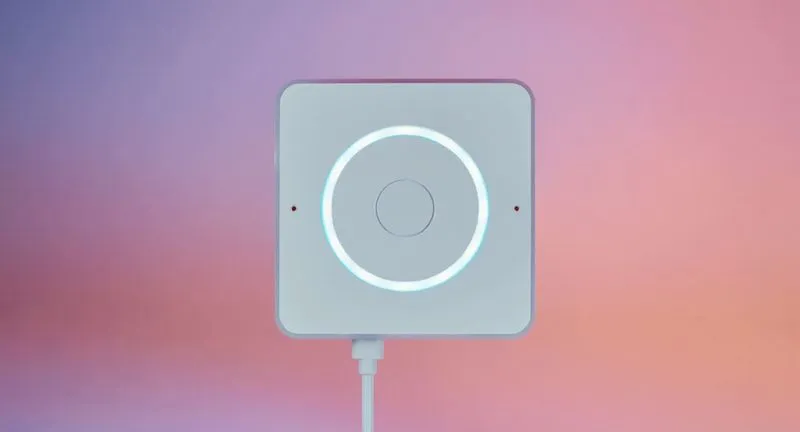
- Home Assistant Voice Preview Edition. $69 / €59 recommended price, ESP32-S3, XMOS XU316 audio chip with echo cancellation, dual microphones, a mute switch that cuts power to the mics and a 3.5 mm output, according to the official product page. No charger in the box.
Home Assistant compatibility: our recommendations by profile
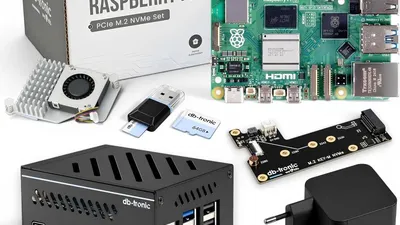
Andrea runs Home Assistant and Jellyfin on the 4 GB Raspberry Pi 5 kit he reviewed. We have not benchmarked voice on it. But based on the official figures, that kind of box is the sweet spot for Speech-to-Phrase plus Piper, and the wrong place for an LLM.
"I just want to switch lights and set timers"
Stay on your current hardware. Install Speech-to-Phrase and Piper, add a satellite, expose only the devices you speak to and give them simple aliases. This is the cheapest fully local setup there is.
"I want to talk naturally, without the cloud"
You need Whisper, so plan for an N100-class mini PC as the Home Assistant host or as a separate Wyoming server. For an LLM on top, keep it on another machine with a GPU, and keep "Prefer handling commands locally" on.
"I want it to work well in French, Spanish or Italian today"
Speech-to-Phrase supports all three. For open-ended speech, check your language on the Assist language page first: Whisper's Base model does well with languages that have large public datasets, and Home Assistant itself says the cloud gives the best experience for some languages.
Before you install anything
Each engine is an app that changes your system. Take a full backup first; our Home Assistant backup and restore guide explains how. The Home Assistant pillar guide links to the rest of our coverage.
FAQ
Can Home Assistant voice work with no internet at all?
Yes. With Speech-to-Phrase or Whisper for speech-to-text, Piper for text-to-speech and the built-in conversation agent, every step runs on your hardware. A cloud LLM or Home Assistant Link would be the only parts that need the internet.
Is a Raspberry Pi 5 enough for local voice?
For home control with Speech-to-Phrase, yes: Home Assistant cites about 150 ms per command on a Pi 5. For Whisper, Home Assistant's recommendation is an Intel N100 or better, and for a useful LLM you need a separate, more powerful machine.
Do I need a GPU?
Not for Speech-to-Phrase, Piper or Whisper's Base model on an N100. A GPU becomes relevant for larger Whisper models and for running an 8B-parameter LLM or bigger at a comfortable speed.
Can Speech-to-Phrase add items to my shopping list?
Not out of the box. It only recognises phrases it knows, so commands that take free words, such as shopping lists, named timers or broadcasts, need Whisper or the cloud.
Byline: Andrea R., based on Home Assistant's official voice documentation and announcements, the Speech-to-Phrase project page, Ollama's model library and his own Home Assistant setup on a Raspberry Pi 5.
Disclosure: Rocks on Galaxy has no affiliation with Nabu Casa, the Open Home Foundation or Ollama, and this article contains no commission links. We did not test the Voice Preview Edition or run voice benchmarks; speed figures are the publishers' own. Prices and documentation as of 13 November 2026.
Tags :
- Home Assistant
- Local voice
- Assist
- Speech to Phrase
- Whisper
- Piper
- Ollama
- Local AI