Home Assistant 2026.12: what changes, what to check
- News
 Andrea Roques
- Maison connectee
- Published
Home Assistant 2026.12 lands on December 2, 2026, and the beta has been public since November 25. The headline features are friendly: a cover dialog you drag like a real blind, wall buttons that understand double press and hold, and a Labs option that double-checks the wake word so your TV stops switching on the lights. The part to read before you click Update is less fun: multi-outlet plugs and multi-gang switches get split into child devices, SmartThings needs a paid API plan for new setups, and a few community add-ons need an update.
Short version: most homes can update on December 2 without touching anything. Check the table below first if you use ZHA or Matter power strips, SmartThings, Matter Hub, Tuya statistics or Tessie.
This is an analysis of the official beta release notes and the 2026.12.0b0 release, not a hands-on test. We have not installed the beta on our own Raspberry Pi 5, so nothing below is presented as a measured result.
Key takeaways
- Dates: beta 2026.12.0b0 on November 25, 2026, beta 1 on November 26, stable release on December 2 with a live stream at 20:00 GMT (21:00 in Paris, 2 pm in Chicago).
- Name change: Home Assistant Cloud becomes Home Assistant Link. Nothing to do, and the YAML domain stays
cloud. - Biggest daily upgrade: a new cover dialog, button triggers for double, triple and quadruple presses, and a unified camera player.
- Voice: a Labs preview adds a second, larger wake word check on your own hardware for Okay Nabu, Hey Jarvis and Hey Mycroft.
- Watch out: child devices for power strips and multi-gang switches (Matter, ZHA, HomeKit Device, UniFi Network), SmartThings personal tokens, Matter Hub 2.1.0 or newer.
The calendar: beta now, stable on December 2
Home Assistant ships a monthly release on the first Wednesday, preceded by a week of public beta. This is the last one of 2026.
| Step | Date (2026) | Source | What it means for you |
|---|---|---|---|
| 2026.11.3 (current stable) | November 23 | PyPI | What a normal install runs today |
| 2026.12.0b0 (first beta) | November 25, 18:26 UTC | GitHub release | Beta channel only; notes still marked "work in progress" |
| 2026.12.0b1 | November 26, 09:06 UTC | PyPI | First round of beta fixes |
| 2026.12.0 (stable) | December 2 | Beta release notes | The Update button appears for everyone |
One caveat applies to everything here. The team writes that some features "may not make it into the final release", and the notes still contain open to-do markers.
Before you click Update: who is affected
Most backward-incompatible items touch niche integrations. These are the ones most likely to matter in a typical European or US smart home.
| If you use… | What changes in 2026.12 | What to do |
|---|---|---|
| Matter multi-outlet plugs (e.g. Eve Energy dual outlet) | Each named outlet becomes a child device; friendly names drop the suffix ("Switch (top)" becomes "Top") | Entity IDs stay. Review templates and notifications that use friendly_name, and device-based groupings |
| ZHA multi-gang switches, relays, dual plugs or valves | Child device per output (Channel 1 / Channel 2, Left / Right) for devices listed in the ZHA library | Same as above: IDs unchanged, displayed names change |
| SmartThings | New setups can no longer sign in through Home Assistant Cloud | Create a SmartThings Personal Access Token on an account with an active SmartThings API plan; existing entries move over at the next re-authentication |
| Home Assistant Matter Hub (community app) | Older versions can no longer be opened from the sidebar | Update to 2.1.0 or newer; the archived t0bst4r version gets no fix, migrate to the RiDDiX fork |
| Tuya (official integration) | Some sensors lose an empty unit; statistics stop until fixed | Settings > Tools > Statistics, then Fix issue and update the unit of historic values |
| Tessie (Tesla) | Frunk, trunk and charge port covers lose the door device class | If a security dashboard or automation finds them by device class, target their entity IDs instead |
| Custom integrations from HACS | Flows returning plain strings instead of FlowResultType now fail with a TypeError | Update your custom integrations first; this has logged a deprecation warning since 2022.7 |
| Z-Wave shutter modules | Device class follows what they drive (shutter, blind, gate, shade) instead of window | Swap window triggers for cover triggers where needed |
| Fitbit | Integration removed after Google shut the Fitbit Web API on November 2 | Move to the Google Health integration |
The SmartThings line has a price tag. On its developer site, SmartThings lists a Developer plan at $4.99 a month with 100,000 API calls and up to 10 installed apps, and notes that plans, pricing and availability can change.
The child-device split is the one that will surprise people. Automations keep working because entity IDs do not move. A notification that reads "Kettle is on" could quietly become "Bottom Kettle is on", though, and that is the kind of thing you only notice a week later.
Covers you can grab, and buttons that do more
Blinds, shutters, garage doors and gates all shared the same upside-down slider until now. The new dialog draws the type of cover you own and the drawing is the control: tap a position or drag from where the cover is. Tilt covers get a position/tilt switch, and you can save favourite positions such as "half open".
The drawing only shows what the cover actually reports. While it moves, the requested position is shown separately.
Buttons get a new family of triggers that work the same way across brands: Button pressed with a number of presses (double, triple, quadruple), Button held with an optional repeat interval for step dimming, Button hold ended, and a Button is being held condition that turns one key into a shift key.
The catch: support starts with three integrations
Only Universal Devices ISY/IoX supports all of it today. Lutron Caséta and OpenDisplay support Button pressed. The release notes say more integrations will follow, and a double press only works if the device reports multiple presses in the first place. Zigbee remote owners will keep using device triggers or blueprints for now.
Voice that stops listening to the TV
Wake word detection runs on a tiny chip in each voice satellite, so it errs on the eager side. The Labs preview called Next-generation voice sends that short audio clip to a much larger wake word model running in a new Voice Support app on your own hardware. If you did not really say the wake word, nothing happens.
Two side effects follow. You can say the wake word and the command in one breath, without waiting for the beep. And the app decides when you stopped talking, which the notes say works better with quiet voices and children.
Limits: it verifies Okay Nabu, Hey Jarvis and Hey Mycroft only, and the Voice Preview Edition needs its beta firmware. Voice timers also become a timer list entity with a dashboard card, so a three-minute tea timer can start when the kettle switches off. If you are still choosing hardware, our local voice hardware guide covers the satellites.
Energy, storage and health: fewer trips to the log file
The Energy dashboard stops guessing for batteries that report per direction (from grid, from solar, to home, to grid). Charge a home battery from the grid at night, and it no longer risks showing up as solar charging. Settings > Energy also lists meters you never added.
- Database card under Settings > System > Storage: total size, tables, unused space and the entities writing the most, now on every installation type including Container.
- Health item on each integration: running state, available entities, open repairs, recent errors and setup time.
- Live startup view that names the slowest integrations.
- Disk lifetime sensor in the Supervisor integration, to warn before an SSD wears out.
Cameras and integrations worth a look
The camera dialog gets a player of its own, identical in every browser and in the Companion apps: pinch or Ctrl-scroll zoom, picture in picture (now for MJPEG too), a badge showing WebRTC, HLS or MJPEG, and a screen that stays awake while the stream is open.
Among the 16 new integrations, three stand out for local control. Bambu Lab printers over the LAN without the Bambu cloud. Tile trackers over Bluetooth without the Tile cloud. And Electrolux, built by Electrolux itself for AEG and Frigidaire appliances. Matter also maps Matter 1.5 closures (garage doors, gates, roof windows) to covers.
The AI assistant gets admin tools, with a warning
The Home Assistant tool set for AI assistants now adds integrations, renames devices, assigns areas and labels, reads automation traces, edits Energy settings and searches long-term statistics. The same tools reach Claude, ChatGPT or Cursor through the Model Context Protocol server, switched on under Settings > System > AI.
The release notes are blunt: these tools change things without asking first. Only administrators can use them, the MCP server can be limited to read-only tools, and the docs recommend a separate assistant for admin work. We covered the first MCP step in our Home Assistant 2026 guide.
Our read for an install like ours
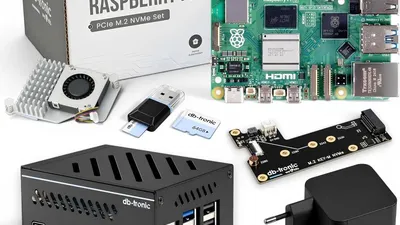
Our own Home Assistant runs on the Raspberry Pi 5 kit we reviewed, with community integrations from HACS such as Tuya Local and Xiaomi Home. For that kind of setup, the risk in 2026.12 sits less in core than in custom integrations: the TypeError change punishes old code that ignored a four-year-old warning. Updating HACS integrations before December 2 costs five minutes.
The disk lifetime sensor is the sleeper feature for Pi owners. Our Pi review already flagged the bundled 64 GB SD card as the weak point for an always-on server; a wear warning is exactly the signal that card never gave. Pair it with an off-site backup, the new name for cloud backups, and the backup and restore routine we recommend.
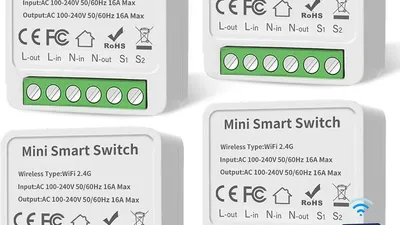
For anyone who flashed modules to run locally, like the flashed smart switch we tested, the new button triggers are promising but not useful yet. They depend on each integration adopting the new event types.
Who should update when
| Profile | Our recommendation |
|---|---|
| Beginner, official integrations only | Update after December 2 once a backup is done; little to check |
| Power strips or multi-gang switches on ZHA or Matter | Update, then review notifications and templates that print device names |
| Heavy HACS user | Update custom integrations first, read the log for deprecation warnings, then update core |
| SmartThings bridge | Do not re-authenticate casually; budget the API plan or plan a Matter route |
| Tinkerer with a spare machine | Join the beta channel on a test install and report issues on GitHub |
FAQ
When does Home Assistant 2026.12 come out?
The stable release is scheduled for December 2, 2026, with a release party stream at 20:00 GMT. The beta started on November 25.
Do I need to do anything for the Home Assistant Link rename?
No. Subscription, remote access, voice and backups keep working, and the integration keeps the cloud domain in YAML. Cloud backups are now called off-site backups.
Will my automations break with the new child devices?
Not by entity ID: those stay the same, and targeting the main device still controls its children. Displayed names and device-based groupings can change, so check notifications and templates that use friendly_name.
Does double press work with my Zigbee remote now?
Probably not yet. The new Button triggers currently work with ISY/IoX fully, and with Lutron Caséta and OpenDisplay for presses. Other integrations will move over in later releases.
Is it safe to install the beta?
It is meant for testing: features can still change. Use a non-critical install, take a backup, and quote the exact beta version in bug reports.
Verdict
Update on December 2 if your home runs mostly on official integrations: the cover dialog, the camera player and the diagnostics alone justify it. Wait a few days, and update HACS integrations first, if you rely on custom code, a SmartThings bridge or name-based notifications on power strips. For the bigger picture, start from our Home Assistant guide.
Sources
- Home Assistant, "2026.12 Beta: Under cover", beta release notes (work in progress), November 25, 2026
- GitHub, home-assistant/core release 2026.12.0b0, November 25, 2026 and PyPI release history (2026.11.3, 2026.12.0b0, 2026.12.0b1)
- Home Assistant blog, Home Assistant Cloud rename announcement, October 2, 2026
- SmartThings Developers, SmartThings API plans (checked November 26, 2026)
- GitHub, Home Assistant Matter Hub v2.1.0
- Home Assistant docs, running a beta version
- simon42, "Home Assistant 2026.12 Beta: Das ist neu und so testest du", November 26, 2026
- Caschys Blog, Home Assistant 2026.12 Beta, November 26, 2026
By Andrea R., based on the Home Assistant beta release notes and the sources above. See also how we test and our Matter cameras buyer's guide.
Disclosure: Rocks on Galaxy has no commercial relationship with the Open Home Foundation or Nabu Casa. This is a sourced news analysis of beta release notes, not a hands-on test of the beta, with no rating and no affiliate links. Hero image: official Home Assistant 2026.12 beta banner, resized and cropped to 16:9, otherwise unedited. Facts checked on November 26, 2026.
Tags :
- Home Assistant
- Home Assistant 2026.12
- Release notes
- Matter
- Zigbee
- Voice assistant
- SmartThings
Share :