Tapo C825: video-call camera, limits and Home Assistant
- News
 Andrea Roques
- Maison connectee
- Published
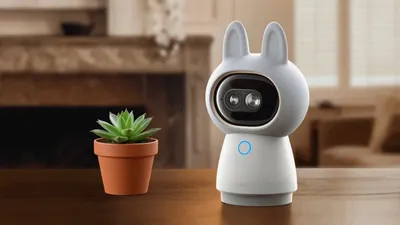
TP-Link's Tapo brand launched the Tapo C825 in the US on November 25, 2026: a 2K pan-and-tilt indoor camera with a 4-inch touchscreen that makes hands-free video calls. It costs $149.99, records to a microSD card without a subscription, and speaks RTSP and ONVIF. The catch for smart-home tinkerers: calls only work inside the Tapo app, and Home Assistant's TP-Link integration does not list it yet.
One more detail matters a lot here in the Midwest. TP-Link's spec sheet says face recognition is not available in Illinois or Texas.
This is a sourced analysis of TP-Link's product page, support documentation and launch coverage. We have not had a C825 in hand, so there is no rating.
Key takeaways
- Price: $149.99 for one, $229.98 for a 2-pack, $289.97 for a 3-pack on the Tapo US store (November 25, 2026).
- Hardware: 2560 × 1440 video at up to 30 fps, 360° pan coverage, 156° tilt coverage, infrared night vision to 12 m (40 ft), dual-band Wi-Fi 6, USB-C power.
- Calls: phone-to-camera through the Tapo app, or camera-to-camera between two C825s. No third-party calling, and internet is required.
- Local first: on-device detection and microSD storage up to 512 GB, no subscription required. Tapo Care adds cloud history and AI summaries.
- Home Assistant: not in the official TP-Link integration's supported list today; RTSP and ONVIF are the realistic day-one routes.
What TP-Link actually built
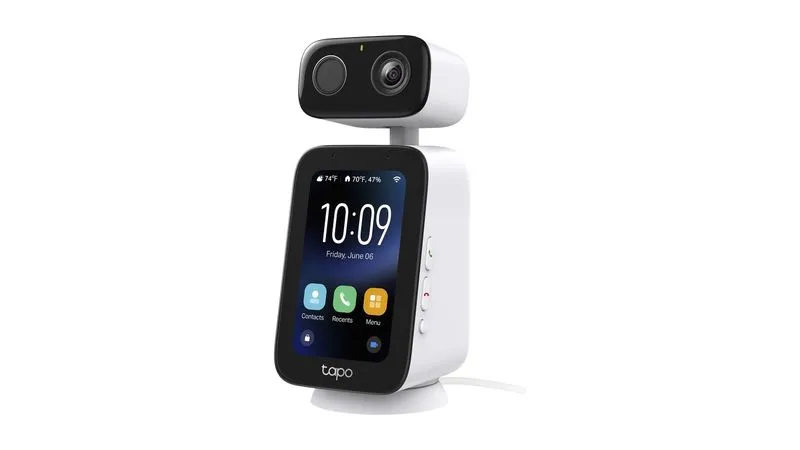
Picture a Tapo pan-and-tilt camera stacked on top of a small tablet. The camera head turns, the 4-inch screen below shows contacts, a clock, the weather or a photo. Three physical buttons sit on the side: answer, end, and a round button for the screen.
The pitch is aimed at families more than at security buyers. According to TP-Link's product page, a grandparent or a child can start a call from the screen without a smartphone, while the camera pans and tilts to keep them in frame as they walk around the kitchen.
When nobody is calling, it behaves like any other Tapo indoor camera: motion, person and pet alerts, a recording timeline, privacy zones and a privacy mode that physically points the lens at the ceiling.
The spec sheet, translated into daily use
| Spec (TP-Link) | Tapo C825 | What it means at home |
|---|---|---|
| Resolution and frame rate | 2K+ (2560 × 1440), up to 30 fps | Faces are readable across a living room; not 4K |
| Lens | 1/3" sensor, 3.2 mm, f/1.6, 114.5° diagonal | Wide enough for a room corner without constant panning |
| Pan / tilt | 333° mechanical pan (360° coverage), 104° mechanical tilt (156° coverage) | Follows someone moving during a call |
| Night vision | 2 × 850 nm IR LEDs, 12 m / 40 ft | Pet checks at 2 a.m. in black and white |
| Screen | 4-inch touchscreen | Contacts, call log, reminders, clock or photo wallpaper |
| Storage | microSD up to 512 GB; optional Tapo Care cloud | No monthly fee needed to keep recordings |
| Network | Wi-Fi 6 (802.11ax), 2.4 and 5 GHz, no Ethernet | Can sit on a 5 GHz network, which helps call quality |
| Local protocols | RTSP: yes, ONVIF: yes | The door to Home Assistant, Frigate or a recorder |
| Power | USB-C, 5 V / 2 A, 3 m cable | Needs an outlet; no battery |
| Size | 166 × 74 × 77 mm, tabletop only | Shelf or counter, no wall or ceiling mount listed |
| Assistants | Alexa, Google Assistant, IFTTT, SmartThings | No Matter and no Apple Home listed |
Video calls stay inside Tapo's walls
This is the part to understand before buying. The C825 does not call phone numbers, FaceTime, WhatsApp or Google Meet. TP-Link's FAQ is explicit: video calling "is designed to operate within the Tapo ecosystem" and third-party video calling "is not currently supported".
Contacts come in two kinds, per TP-Link's screen-features guide (updated October 28, 2026):
- Family & Friends: you share the camera with someone's email address, they accept the invite in the Tapo app, and they appear in the camera's contact list.
- Another Device: you enter the MAC address of a second C825, printed on its back panel, for camera-to-camera calls.
Two settings stand out. Auto-answer lets trusted contacts connect without anyone touching the device, which TP-Link pitches for quick wellness checks. And the side buttons can be remapped in the app: the red button can call an assigned contact when idle, and the round "smart button" can toggle privacy mode instead of the screen.
Both ends need internet. If your connection drops, TP-Link says calls and remote access stop, while local microSD recording can continue.
Illinois and Texas get a camera without face recognition
The C825 can recognize familiar faces, and that runs on the device. But a footnote on the US product page says facial recognition is not available in Illinois or Texas.
TP-Link does not explain the footnote. Both states have strict biometric laws, though. Illinois' Biometric Information Privacy Act counts a "scan of face geometry" as a biometric identifier, requires informed written consent before one is collected, and sets liquidated damages of $1,000 per negligent violation and $5,000 per intentional or reckless one. Texas has its own biometric identifier law. A camera that greets visitors by name is exactly the kind of product those rules touch.
For buyers in those states, person, pet, sound and line-crossing detection remain on TP-Link's list. Only the named-face part goes away.
C825, C225 or C260: what the extra $90 buys
Tapo already sells cheap pan-and-tilt cameras. Here is how the C825 compares with two of them, using TP-Link's spec pages and Tapo US store prices checked on November 25, 2026.
| Tapo C825 | Tapo C225 | Tapo C260 | |
|---|---|---|---|
| Tapo US store price | $149.99 | $41.99 | $59.99 |
| Video | 2560 × 1440, 30 fps | 2688 × 1520, 15–30 fps | 4K |
| Screen and video calls | 4-inch touchscreen, two-way video | No (two-way audio only) | No |
| Wi-Fi | 2.4 + 5 GHz, Wi-Fi 6 | 2.4 GHz only | Dual-band |
| RTSP / ONVIF | Yes / Yes | Yes / Yes | See our Matter cameras guide |
| Ecosystems listed | Alexa, Google, IFTTT, SmartThings | Alexa, Google, Apple HomeKit | Matter 1.5.1 certified (retail firmware unconfirmed in October) |
| In Home Assistant's TP-Link integration | Not listed | Listed | Not listed |
Put simply: about $90 to $108 more buys you the screen and the calling. If you only want to watch a room, the C225 is the safer bet for Home Assistant today. Our Matter cameras buyer's guide explains the C260's Matter situation in detail.
Home Assistant compatibility: what works on day one
Home Assistant's official TP-Link Smart Home integration handles Tapo cameras, with live view, privacy mode, pan-tilt and motion alerts depending on the model. Its supported list on November 25 runs from the C100 to the C720 and TC70. The C825 is not on it.
That does not mean it cannot work. It means nobody has confirmed it. Three routes are realistic:
| Route | What you should get | Status for the C825 |
|---|---|---|
| TP-Link integration (official) | Live view, privacy mode, pan-tilt, motion entities | Not listed; may or may not be detected |
| ONVIF integration | Stream, PTZ controls, motion events where the camera exposes them | ONVIF is listed in TP-Link's specs; untested by us |
| RTSP stream via go2rtc / Frigate | Local live view and 24/7 recording on your own server | RTSP listed in TP-Link's specs |
go2rtc tapo:// source | Stream plus two-way audio on supported Tapo cameras | Not confirmed for the C825 |
Whatever the route, start in the Tapo app. For live view in Home Assistant, the integration's docs say you must enable a Camera Account under Device Settings > Advanced Settings. The go2rtc Tapo source uses your cloud password instead and is the one that supports two-way audio on Tapo cameras.
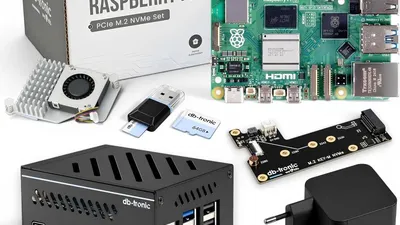
What you will not get, on any route: the video calls, the contact list and the screen. Those live in TP-Link's cloud. Andrea's own Home Assistant runs on a Raspberry Pi, the kind of box covered in our Raspberry Pi 5 kit review, and that is plenty for an RTSP stream. It is not a video-calling server.
Who it's for
- Families with an older relative at home: the C825's real job. One-tap calls, auto-answer for trusted contacts and big-text settings target people who will never open an app.
- Parents of kids without a phone: a fixed calling point in the kitchen that also doubles as an indoor camera.
- Home Assistant users: wait. Buy a listed model such as the C225, or wait for someone to confirm the C825 in the integration.
- Privacy-first buyers: local storage and on-device detection are good signs, but calls require TP-Link's cloud and the camera has a screen facing the room. Think about where it goes.
Our take: a good idea with a closed door
The hardware choices are sensible. A 5 GHz radio for calls, local recording, RTSP and ONVIF left in, a physical privacy position. That is more open than most "family" devices with a screen.
The weak point is the calling itself. Making it Tapo-to-Tapo only keeps it simple for grandparents, but it also means the feature dies with your TP-Link account or your internet connection. We would love a documented local API for the screen, so Home Assistant could push a doorbell snapshot or a reminder to it. Nothing in TP-Link's documentation promises that.
For France, TP-Link France already has a C825 product page, but no price or launch date had been announced on November 25.
FAQ
Can the Tapo C825 call a regular phone or WhatsApp?
No. TP-Link says video calls work only within the Tapo ecosystem: the Tapo app on a phone, or another C825. Third-party calling is not supported.
Does the Tapo C825 need a subscription?
No. It records to a microSD card of up to 512 GB and runs detection on the device. Tapo Care is optional and adds cloud history, video summaries and descriptive alerts.
Does it work with Home Assistant?
Not officially yet: it is missing from the TP-Link integration's supported list. TP-Link lists RTSP and ONVIF, so a local stream through ONVIF, go2rtc or Frigate is the likely route.
Why is face recognition missing in Illinois and Texas?
TP-Link does not say. Both states regulate biometric identifiers such as face geometry, and Illinois' BIPA requires written consent before collection. Other detection features stay available.
Is the Tapo C825 sold in France?
Not yet. TP-Link France has a product page, but no French price or release date was announced as of November 25, 2026.
Verdict
Buy the C825 if you want a dead-simple video phone for a relative and are happy to stay in Tapo's app. Skip it, for now, if you bought it mainly for Home Assistant: the C225 does the camera part for $42 and is already supported. For a broader view of local-first hubs and cameras, see our Home Assistant guide and the Homey Pro vs Home Assistant decision guide.
Sources
- TP-Link US, Tapo C825 product page, specifications and FAQ
- TP-Link Support, "How to Use Screen Features of the Video Call Camera", October 28, 2026
- Tapo US store, Tapo C825 listing (price checked November 25, 2026)
- The Verge, "Tapo's new indoor security camera includes a touchscreen for video calls", November 25, 2026
- Home Assistant, TP-Link Smart Home integration documentation and ONVIF integration
- go2rtc, TP-Link Tapo source documentation
- Illinois General Assembly, Biometric Information Privacy Act (740 ILCS 14)
By Andrea R., based on TP-Link's documentation, Home Assistant's integration docs and the reporting above. See also how we test and our Matter and Thread guide.
Disclosure: Rocks on Galaxy has no commercial relationship with TP-Link for this article and did not receive a Tapo C825. This is a sourced news analysis, not a hands-on review, with no rating and no affiliate links. Hero image: official TP-Link product photo of the Tapo C825, padded to 16:9 on white, otherwise unedited. Facts and prices checked on November 25, 2026.
Tags :
- Tapo
- TP Link
- Security camera
- Video calls
- Home Assistant
- ONVIF
- Privacy
Share :