Robot vacuum privacy in 2026: DJI Local Data Mode, Matter, Valetudo and Home Assistant
- News
- Rocks on Galaxy
- Maison connectee
- 31 Oct, 2026
- 0
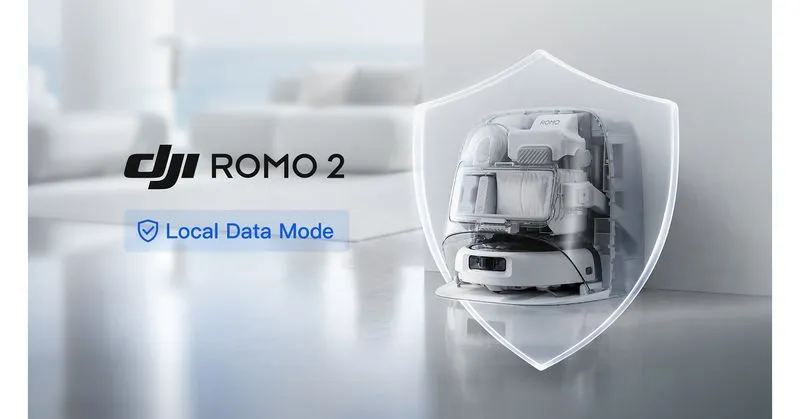
A robot vacuum is probably the most revealing device in your home. It maps every room, and many recent models carry a camera, sometimes a microphone. In February 2026, a hobbyist trying to steer his DJI ROMO with a game controller ended up seeing data from thousands of other people's robots. On October 29, DJI answered with a new Local Data Mode for the ROMO 2 that keeps maps and images on the robot.
So how "local" can a robot vacuum really be in late 2026, and what does each option cost you in features, effort and warranty? Below are the five levels of local control available today, from an app toggle to replacing the vendor cloud, with a Home Assistant view of each.
Key takeaways
- DJI's Local Data Mode (ROMO 2, via a firmware update) stores and processes maps, images and navigation data on the robot and disconnects the DJI Home app from the internet. The robot still needs the internet once, at first power-on, to create its map.
- Matter is the easiest local path for room cleaning, but it only covers basic controls. Maps, no-go zones and dock settings stay in the vendor app.
- The official Home Assistant Roborock integration talks to the robot locally, yet still needs the Roborock cloud. Block the internet and the robot locks its local API.
- Fully cloud-free options exist: Roborock Local Server emulates the cloud without rooting, while Valetudo replaces it on rooted Dreame, MOVA, Roborock and other supported models. Both demand real technical effort.
- In the US, new foreign-made robot vacuum models can no longer get FCC authorization, which narrows the choice.
Why the robot vacuum is the privacy weak spot
The incidents keep coming. As The Verge reported in February, Sammy Azdoufal used his own ROMO's token and found that DJI's servers answered for roughly 7,000 robots. Live video and audio, floor plans and remote control were exposed, because DJI's MQTT backend checked that he was a valid user, not which robot was his. DJI pushed fixes on February 8 and 10 and later agreed to pay Azdoufal $30,000.
DJI is not alone. The same Verge report recalls the Ecovacs robots hijacked in 2024. It also cites 2025 Korean tests that flagged camera-access weaknesses on a Dreame X50 Ultra and photo-theft risks on Ecovacs and Narwal models. The weak points were authorization and the amount of data sitting in a cloud, not encryption. The less your robot sends, the less can leak.
What DJI's Local Data Mode actually changes
According to DJI's October 29 announcement, Local Data Mode does the following:
- It disconnects the DJI Home app from the internet. Maps, images and navigation data are then stored and processed locally.
- Navigation and obstacle avoidance keep working offline. You can still start a clean and send the robot to its dock.
- It is enabled with a toggle under Device Settings > Security Settings in DJI Home, after a firmware update. It comes first to the ROMO 2, with future ROMO models to follow.
- One caveat: on first power-on, the ROMO still connects to the internet to create its map.
The mode adds to DJI's other privacy settings:
- A passcode or a one-time SMS code to view the camera.
- Opt-in sharing for camera, voice and Wi-Fi data, and an On-Site Photo option you can switch off.
- End-to-end encryption when the robot is online.
- Automatic deletion of photos older than 14 days, and a factory reset that erases everything.
DJI also lists ETSI EN 303 645 and EN 18031 compliance, a UL Solutions Diamond IoT rating and a 2026 TÜV SÜD penetration test of the ROMO P2 with no critical, high or medium findings. The DJI ROMO Trust Center is where those claims are published.
The ROMO 2 P2 costs €1,299 and the A2 €100 less (The Verge), and DJI says the ROMO now supports Matter. Our read: this is a real step, because it happens on the vendor side, with no rooting and no warranty risk. But it is still a promise from the company whose backend failed in February, and DJI doesn't say whether Matter control stays available in this mode. We'll test that before recommending it for Home Assistant.
The five levels of local control
Here is how the options line up, from least to most effort.
| Level | What it is | Data leaves home? | Effort / risk | What you lose |
|---|---|---|---|---|
| 0. Stock cloud app | Vendor app with default settings | Yes: maps, often photos | None | Nothing, but you trust the vendor fully |
| 1. Vendor local mode | DJI Local Data Mode (ROMO 2), or Matic's on-device design | Minimal, per the vendor's claims | A toggle; first setup online | Remote access (DJI); you still rely on the vendor's promises |
| 2. Matter | Robot paired to Apple Home, Google Home, Alexa, SmartThings or Home Assistant | Control is local; the vendor app still handles maps | Low | Maps, no-go zones, dock and mop settings |
| 3. Cloud emulation | Roborock Local Server (open source) | No, once onboarded | High: your own domain, TLS certificate, DNS rewrite | The official app experience; Roborock only |
| 4. Root + Valetudo | Replaces the vendor cloud on the robot itself | No | Very high: disassembly or UART on many models, possible brick | Warranty in practice, vendor features, multi-floor maps |
Level 1: trust a vendor that keeps data on the robot
DJI is now one option. Matic, the US startup, built its whole pitch on this idea. In a March 2026 post, it says camera feeds, audio, the home layout and cleaning history live on the robot. On the same Wi-Fi, phone and robot talk directly. Remote access goes through an encrypted relay whose code Matic has open-sourced. These are company statements, not independent audits.
Level 2: Matter, local but limited
Matter vacuums are controlled over your local network, so a cloud outage doesn't stop a clean. The trade-off is scope. Matter Alpha's Apple Home guide lists what you get: whole-home or per-room cleaning, pause/resume/dock, suction and mop modes, and notifications. Mapping, no-go zones and mop-drying settings are missing.
Level 3: Roborock Local Server, cloud-free without rooting
Roborock Local Server is an open-source HTTPS and MQTT emulator of the Roborock cloud, maintained in the python-roborock project behind the official HA integration. It runs as a Home Assistant add-on or with Docker, and the HA Roborock integration connects to it with Region: Manual. The catch: you need a domain you control, local DNS rewriting and a TLS certificate your vacuum model trusts. For most people, this is a weekend project, not a toggle.
Level 4: Valetudo, the hard and permanent option
Valetudo is cloud-free software that runs on the robot. It is Apache-2.0 licensed and maintained by Sören Beye since 2018. It only supports the robots on its exhaustive list (Dreame, MOVA, Roborock, Eureka, some Xiaomi and others), because each needs a root exploit. Its own "Why not Valetudo?" page warns that reverting to stock is impossible and that there is no multi-floor map support. A community fork for the Ecovacs Deebot X1 Omni appeared on the Home Assistant forum on October 27. The author warns it needs a reflash that can brick the robot, and dock automations aren't done yet.
Home Assistant: what each path gives you
- Official Roborock integration. Local polling every 30 seconds with cloud fallback. Maps and routines come through the cloud. The documentation says plainly that you can't block internet access: offline, the robot locks its local API.
- Clean by area. Since Home Assistant 2026.3, the
vacuum.clean_areaaction lets you map vacuum segments to your HA areas. It works with Matter, Ecovacs and Roborock, so "vacuum the kitchen after cooking" becomes one automation. More in our Home Assistant 2026 guide. - Matter. Push updates and true offline operation, with fewer entities. You need a Matter controller. See our Matter hubs comparison if you don't have one.
- Valetudo. MQTT autodiscovery in HA, plus a dedicated map card. It's the richest local integration, at the highest cost.
Whatever you choose, isolate the robot on an IoT network or VLAN. Our HAOS 18.4 security guide explains why that matters this autumn.
US buyers: the FCC changes the shortlist
On July 28, 2026, the FCC added foreign-produced "advanced robotic devices" to its Covered List. New models can no longer get FCC authorization unless they receive a conditional approval. Models that were already authorized, and robots people already own, are not affected. Consumer Reports explains the scope:
- Mobile, remotely operable robots that weigh over 4.4 lb with the dock.
- Firmware updates for robots that are already authorized are allowed until January 1, 2029.
The Verge noted that a US launch of the ROMO 2 looks unlikely for this reason. In the US, your local-first shortlist is limited to models already authorized. Buying on Black Friday? Read our Black Friday 2026 planning guide first.
Who should pick what?
- You want privacy without tinkering: a vendor local mode (DJI ROMO 2 in Europe) or an on-device design like Matic's in the US. Accept that you're trusting the vendor's claims.
- You use Apple Home, Google Home or Alexa: choose a robot with Matter and keep the vendor app for mapping only.
- You run Home Assistant and own a Roborock: start with the official integration plus
vacuum.clean_area. Move to Roborock Local Server only if you're comfortable with DNS and certificates. - You want zero cloud, forever: buy a Valetudo-supported model from the official list, not "something similar", and accept the root, the warranty risk and the missing multi-floor support.
FAQ
Does DJI's Local Data Mode work completely offline?
Mostly, yes. After activation, DJI says maps, images and navigation data stay on the robot and you can start cleans and dock it offline. The ROMO still needs the internet at first power-on to create its map, and since the app no longer goes online, don't expect control from outside your home.
Can I block my Roborock from the internet and keep Home Assistant control?
Not with the standard integration. Home Assistant's documentation says the robot locks its local API when it can't reach Roborock's servers. Matter or Roborock Local Server are the two ways to run without the official cloud.
Is Matter enough to control a robot vacuum?
For daily use, often yes: start, stop, dock, rooms and suction modes. For maps and no-go zones you'll still need the vendor app now and then.
Will Valetudo void my warranty?
Rooting usually means opening or modifying the robot, and Valetudo's own documentation says reverting to stock is impossible. Treat it as a permanent choice.