Inkling 2 Mini: local AI for Home Assistant, what it needs
- News
 Andrea Roques
- Tech
- Published
Inkling 2 Mini can run your Home Assistant voice agent locally, but not on the box that runs Home Assistant. Thinking Machines Lab released the open-weight model on November 20, 2026 under the Apache 2.0 license, and this week the tooling caught up: Ollama 0.40.18 shipped on November 24 with Inkling-specific speed work, and the Ollama library now lists 18 to 20 GB builds tagged for tools, vision and thinking. That tools tag is what Home Assistant needs to switch lights and read sensors.
The catch is memory. The official checkpoint weighs about 20 GB, and Thinking Machines recommends an Apple silicon Mac with 32 GB or more, a DGX Spark, or a GPU with 32 GB of VRAM. A Raspberry Pi or a Home Assistant Green will never host it. They can talk to it over your network, though.
This is an analysis of the model card, the release notes and the Home Assistant documentation. We have not run Inkling 2 Mini ourselves, so there is no rating and no speed figure of our own below.
Key takeaways
- What: a 26.4B-parameter Mixture-of-Experts model with 3.4B active parameters, whose 12 middle layers run three times per token (5.4B effective active parameters). Text and image in, text out, up to 1M tokens of context.
- License: Apache 2.0, weights on Hugging Face, so home and commercial use are allowed.
- Hardware: about 20 GB for the native NVFP4/MXFP8 checkpoint; Unsloth's 4-bit GGUF needs 17 to 18 GB of RAM plus VRAM, its 1-bit build about 9 GB.
- Home Assistant: works through the official Ollama integration, which only allows Device control with tool-capable models. Inkling 2 Mini carries that tag on Ollama.
- Our read: a strong option if you already own a 32 GB Mac or a 24 to 32 GB GPU. Not a reason to buy one just for voice commands.
What Thinking Machines actually shipped on November 20
Thinking Machines Lab is the San Francisco startup led by former OpenAI CTO Mira Murati. Inkling 2 Mini is the small sibling of Inkling 2 Small, the 594B-parameter model it released on November 5, according to VentureBeat.
The architecture is the interesting part. The model has 24 layers of weights. The first six and last six run once; the middle twelve run three times with shared weights, which gives 48 layer applications per token. Each token is routed to 8 of 128 experts. Thinking Machines says the looping lets the model "reach the right answer with fewer tokens", because part of the reasoning happens inside the network instead of being written out.
For a smart home, fewer tokens matters more than any coding score. A voice command lives or dies on how long you wait after speaking.
The vendor benchmarks, read with care
All the numbers below come from Thinking Machines' own model card. Evaluation setups vary by model, as the company itself notes, and no independent lab has reproduced them yet.
| Model | Active / total parameters | AA Intelligence Index v5 | DeepSWE v1.1 (coding agent) | MCP Atlas (tool use) |
|---|---|---|---|---|
| Inkling 2 Mini | 5.4B (effective) / 26.4B | 20.1 | 48.2% | 82.7% |
| Qwen3.8-27B | 27B / 27B (dense) | 20.1 | 42.2% | 77.3% |
| Gemma 4 31B | 30.7B / 30.7B (dense) | 4.4 | 0.3% | 54.2% |
| Nemotron 3.5 Super VL | 12B / 124.5B | 13.6 | 24.7% | 67.7% |
The column to watch for Home Assistant is MCP Atlas, a tool-use benchmark. Controlling a home is tool calling: the model must pick the right action, the right entity and the right parameters. On paper, Inkling 2 Mini edges out the dense Qwen model while activating a fifth of the parameters per token. VentureBeat writes that it runs roughly four times faster than that Qwen model per task. We would wait for community measurements before treating that as settled.
Will it run on your machine?
Start with memory, not with the processor. Add RAM and VRAM together, or read the unified memory figure on a Mac.
| Build | Memory needed | Where it comes from | Realistic home use |
|---|---|---|---|
| Native NVFP4/MXFP8 checkpoint | About 20 GB footprint; 32 GB machine recommended | Thinking Machines model card | Mac with 32 GB+, DGX Spark, 32 GB GPU |
Ollama inkling-2-mini (default tag) | 18 to 20 GB download | Ollama library | The simplest route on a 32 GB Mac |
Ollama 26b-a5b-iq4_NL | 18 GB download | Ollama library | Same machines, slightly smaller |
| Unsloth UD-Q4_K_XL (recommended GGUF) | 17 to 18 GB RAM + VRAM (17.6 GB file) | Unsloth docs | 24 GB GPU, or 32 GB system with a smaller GPU |
| Unsloth 2-bit | 10 to 11 GB | Unsloth docs | 16 GB machines, with a quality loss |
| Unsloth 1-bit | About 9 GB | Unsloth docs | Curiosity only |
Two details change the maths. Images cost extra: the vision projector adds 639 MB to the download, and Unsloth warns that long contexts and image inputs push memory up. The 1M-token context is also a ceiling, not a default. Nobody will fill it on a 32 GB laptop.
Why your Raspberry Pi stays out of this
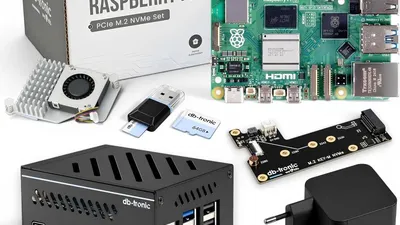
Our own Home Assistant runs on a Raspberry Pi, and the Raspberry Pi 5 kit we tested is a fine home server. It is the wrong place for a 20 GB model: even the largest Pi 5 has 16 GB of RAM and no GPU that Ollama uses. Home Assistant's own docs describe the setup we recommend anyway. Ollama runs on a separate computer in your home, and the integration connects to it over the local network.
Wiring Inkling 2 Mini into Home Assistant
The Ollama integration has been part of Home Assistant since 2024.4 and is maintained by the project itself. The steps below follow its documentation; we have not screenshot them on our install.
- Install Ollama 0.40.18 or newer on the Mac or PC that will host the model, then run
ollama pull inkling-2-mini. The release notes of 0.40.18 list faster Metal decode, prefill and draft rounds for Inkling, and a llama.cpp bump to b12651. - Expose Ollama on your network. By default it only listens on 127.0.0.1, port 11434. The Ollama FAQ explains how to change the bind address with the
OLLAMA_HOSTvariable. Keep it on your LAN, never on the open internet without authentication. - Add the integration in Settings > Devices & services, with a URL such as
http://192.168.1.10:11434. - Add a conversation agent, pick
inkling-2-minias the model and select Device control under AI tools. Home Assistant only allows that with models that support tools. - Create an assistant that uses this agent, and keep Prefer handling commands locally switched on. It is on by default: the built-in agent handles "turn off the kitchen light" instantly, and only the fuzzy requests reach the model.
The settings that decide whether it feels fast
| Option | Default | What we would do with Inkling 2 Mini |
|---|---|---|
| Context window size | 8,192 tokens (minimum 2,048) | Keep the default first; raise it only if you expose many entities, since it counts your exposed entities and uses memory on the Ollama server |
| Keep alive | -1 (model stays in memory) | Keep -1 on a dedicated machine, otherwise every first command reloads 18 to 20 GB |
| Think before responding | Off | Leave off for voice; try it for a separate chat assistant |
| Exposed entities | Your choice | The docs advise exposing only what the assistant needs, because local models make more mistakes |
Keep alive at -1 has a cost the docs do not spell out for this model: 18 to 20 GB stay reserved on the host. On a 32 GB MacBook that you also work on, that is a lot. A Mac mini that sits in a cupboard is the more sensible host.
How it compares with the models we covered before
In October we looked at Liquid AI's LFM2.5-24B-A2B, another sparse model pitched at local agents, with about 2.45B active parameters and a 15 GB Ollama download. Inkling 2 Mini is the heavier choice at 18 to 20 GB. It adds image input and a 1M-token context instead of 131,072 tokens, and its published tool-use and coding scores are higher, but no one has compared the two on the same Home Assistant tasks.
Home Assistant's own default for the Ollama integration remains qwen3:4b-instruct, a 2.5 GB download. That gap, 2.5 GB against roughly 20 GB, sums up the choice. If your question is which hardware fits each tier, our local voice hardware guide covers speech-to-text, text-to-speech and the server side, and our best Home Assistant hardware ranking lists the boxes we actually recommend.
Who should try it, and who should wait
- Try it now if you already own an Apple silicon Mac with 32 GB or more, or a PC with a 24 GB GPU, and you want Assist to understand loose phrasing ("it's too dark in here") without a cloud API.
- Try the 2-bit or 3-bit GGUF on a 16 to 24 GB machine if you are curious, and accept the trade-off: Unsloth measures 98.0% top-token agreement with its reference build at 4-bit, but 90.6% for the 2-bit UD-IQ2_XXS file.
- Wait if you would need to buy hardware: the qwen3:4b default or a cloud agent costs far less for the same "turn on the hallway" job.
- Skip it if your Home Assistant is a Pi, a Green or a Yellow with no other computer in the house that stays on.
One more caveat for French, Spanish and Italian households. The model card lists "English, general multilingual support" and publishes no per-language score, so test your own phrasing before you rely on it.
FAQ
Is Inkling 2 Mini free for home and commercial use?
Yes. The weights are published under Apache 2.0 on Hugging Face, and the model card states the same license.
Can Inkling 2 Mini control my Home Assistant devices?
Through the Ollama integration, yes in principle: the Ollama library tags the model with "tools", and Home Assistant requires tool support for Device control. It only reaches entities you expose to Assist. We have not tested reliability ourselves.
Can it run on a Raspberry Pi 5?
Not realistically. The recommended 4-bit build needs 17 to 18 GB of memory, more than any Pi 5 has. Run Ollama on another machine and point Home Assistant to it.
Which Ollama version do I need?
Use 0.40.18 (November 24) or newer. A 0.40.19 release candidate appeared on November 26 with further Inkling speed-ups for short conversations.
Does it understand images from my cameras?
The model accepts images, and the Ollama integration's AI tasks can describe a camera image if the model supports images. Expect extra memory use, and remember that images only go in as attachments.
Verdict
Inkling 2 Mini is the most capable local model so far that fits a 32 GB Mac, on its maker's numbers. Install it if that Mac or a 24 to 32 GB GPU already sits in your home and you want a private conversation agent for Home Assistant. Skip it, for now, if it means buying a computer: the small default model and the built-in agent already cover everyday commands. For the rest of your setup, start from our Home Assistant guide and check what is coming in the Home Assistant 2026.12 release.
Sources
- Thinking Machines Lab, "Introducing Inkling 2 Mini", November 20, 2026
- Thinking Machines Lab, Inkling 2 Mini model card (architecture, hardware, benchmarks)
- Hugging Face blog, "Welcome Inkling 2 Mini", November 20, 2026 and model weights
- Ollama library, inkling-2-mini tags and capabilities (checked November 27, 2026)
- GitHub, Ollama v0.40.18, November 24, 2026 and v0.40.19-rc0, November 26, 2026
- Unsloth, "Inkling 2 Mini, Run Locally Guide" (GGUF memory table, November 23 and 24 updates)
- Home Assistant, Ollama integration documentation and assistant with an AI personality
- Ollama FAQ, exposing Ollama on your network
- VentureBeat, Carl Franzen, November 21, 2026
By Andrea R., based on the official documentation and sources above. See how we test.
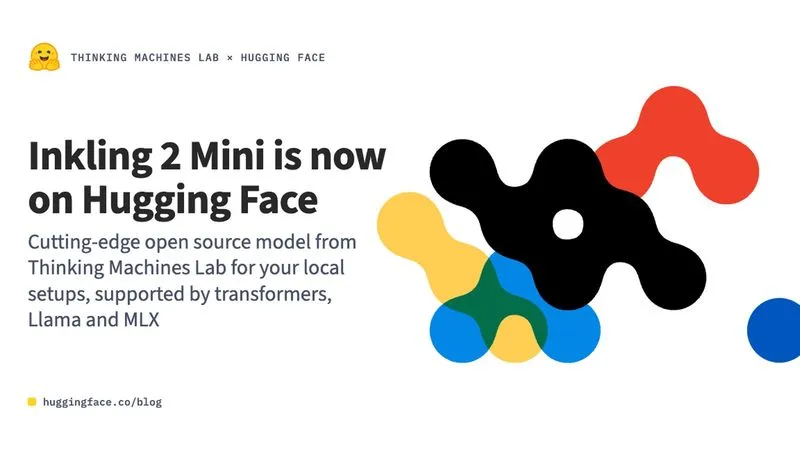
Disclosure: Rocks on Galaxy has no commercial relationship with Thinking Machines Lab, Ollama, Unsloth or the Open Home Foundation. This is a sourced news analysis, not a hands-on test: no rating, no affiliate links. Hero image: official Hugging Face × Thinking Machines Lab launch banner, cropped to 16:9 and resized, otherwise unedited. Facts checked on November 27, 2026.
Tags :
- Inkling 2 Mini
- Local AI
- Ollama
- Home Assistant
- Voice assistant
- Open weight models
- Thinking Machines Lab
Share :