WhatsApp iOS: Liquid Glass Chat Navigation With Quick-Action Menu
- News
- Rocks on Galaxy
- Apps
- 10 Oct, 2026
- 0
WhatsApp’s Liquid Glass redesign just grew a useful button. On October 9, 2026, WABetaInfo reported a new chat navigation experience rolling out to some iOS accounts that already have Liquid Glass, starting with WhatsApp for iOS 26.39.75 on the App Store.
What changed
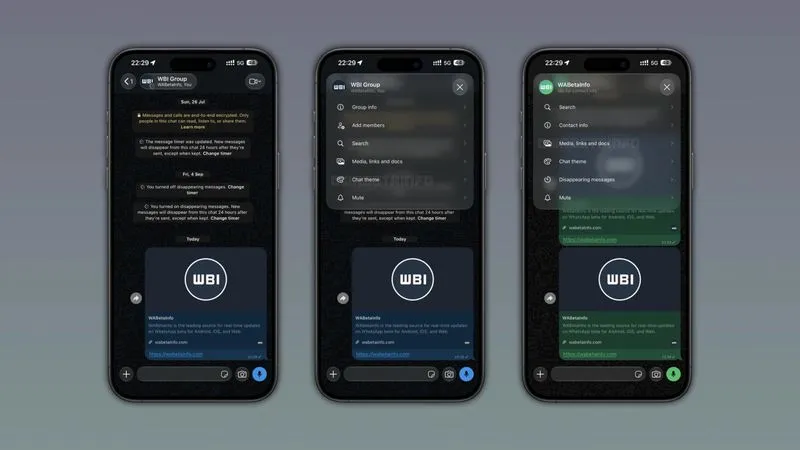
- The top bar now uses a Liquid Glass button with the contact’s photo, name and online/last-seen status
- The glass background adapts to the wallpaper while keeping the text readable — fixing a problem where plain names vanished on busy wallpapers
- Tap the button for a popup menu: Search, Contact info, Media links and docs, Chat theme, Disappearing messages, Mute
- Group chats add a shortcut to invite members; business chats get a similar menu
Availability
It is a gradual rollout for users who already have the full Liquid Glass chat UI. Some TestFlight betas see it too. WhatsApp has not said when everyone will get it.
Rocks take
Less chrome, more shortcuts — exactly what a chat app should do with a redesign. If you do not see the glass button yet, update to 26.39.75 and wait for the server-side flag.