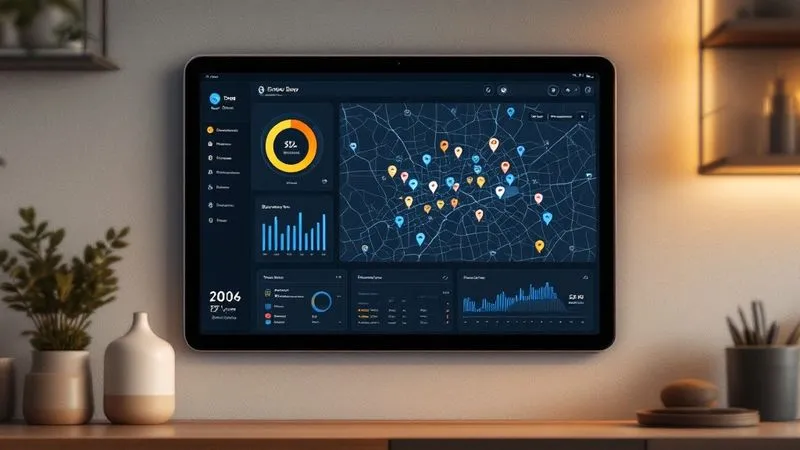
Home Assistant 2026.10 Map: OpenStreetMap Tiles, Location History and Privacy
- News
- Rocks on Galaxy
- Maison connectee
- 23 Oct, 2026
- 0
Short version: Home Assistant 2026.10, released on October 7, 2026 under the nickname "You are here", throws out the old raster map and replaces it with OpenStreetMap vector tiles that your own Home Assistant instance fetches and caches. On top of that it adds a real location overview: a Map dashboard panel with People, Devices and Zones tabs that shows where everyone has been over the last 24 hours, built on the History integration. This article covers only the map: what changed, how the privacy model works, what gets stored and for how long, and what to adjust before you show it on a hallway tablet. For the rest of the release (one-click MCP server, trigger IDs, breaking changes), see our complete Home Assistant 2026 guide.
Key takeaways
- The previous tile provider started requiring an API key, which broke maps in September. 2026.10 moves to vector tiles served by the OpenStreetMap Foundation.
- Tiles go through the Map tiles integration (added in 2026.9): your Home Assistant server downloads and caches them, so the browser of each family member never talks to a tile server directly.
- The new Map dashboard overview shows recent activity per person and device: 5 entries by default, up to 20, over the last 24 hours.
- That history comes from the Recorder database, which keeps 10 days by default. That retention setting is your real privacy knob.
- Older wall tablets that cannot render vector tiles fall back to the classic map automatically.
Why the map had to change
For years the Home Assistant map relied on a third-party raster tile provider. According to the official 2026.10 release notes, that provider began requiring an API key last month, which left many dashboards with grey squares instead of streets. Rather than ask every user to register for a key, the project switched to the vector tiles published by the OpenStreetMap Foundation, with credit going to Guillaume Rischard and Paul Norman, whose Tilekiln work makes those tiles available.
Vector tiles describe roads, buildings and labels as shapes instead of pre-rendered images. In practice that means a map that stays sharp at every zoom level, smooth rotation and scaling, and a proper dark style that matches a dark dashboard instead of a bright rectangle in the middle of the night.
What you actually see after updating
| Element | Before 2026.10 | From 2026.10 |
|---|---|---|
| Tiles | Raster images from a third-party provider (API key now required) | OpenStreetMap Foundation vector tiles |
| Who fetches tiles | Each browser or app, directly | Your Home Assistant server, through the Map tiles integration, with caching |
| Dark mode | Inverted or bright map | Native dark style |
| Markers | Basic pins | Redesigned markers with profile photos, one bubble per zone, nearby markers merged |
| Map dashboard | Map only | Overview panel with People, Devices and Zones tabs and recent activity |
| Zone editor | Old map | Uses the new map |
| Old tablets | Same map | Automatic fallback to the classic map |
The privacy model: your server as a tile proxy
The most interesting change is invisible. The Map tiles integration, introduced in 2026.9, sits between your dashboards and the tile servers. When someone opens the map on a phone, the phone asks your Home Assistant instance for tiles; Home Assistant fetches them once, caches them, and serves them locally.
Why that matters: every tile request reveals which area someone is looking at. With a direct connection, the tile server would see the IP address of each phone and the neighbourhoods it zooms into, typically around your home. With the proxy, the outside world only sees your Home Assistant server asking for tiles, and repeated views come from the cache. It is not anonymity (your server still has a public IP and still fetches tiles for your area the first time), but it removes per-device tracking and reduces the number of requests leaving your network.
- What leaves the house: tile requests from the Home Assistant server, for areas not already cached.
- What does not: the positions of your people and devices. Locations stay in your database; tiles are just the background.
- Remote access: if you open the map through Home Assistant Cloud or your own reverse proxy, tiles still come from your instance, not from the OSM servers.
Location history: the new overview panel
The Map dashboard now opens with an overview panel organised in three tabs:
- People: each person with their current zone and the places they passed through recently, each stop coloured by zone.
- Devices: device trackers that are not attached to a person (a car, a GPS tag, a tablet).
- Zones: who is currently in Home, Work, School or any zone you defined.
The activity list covers the last 24 hours and shows 5 entries by default, configurable up to 20. It is built on top of the History integration, which itself reads from the Recorder database. Nothing new is collected: the data was already there, the dashboard just makes it readable.
That is exactly why it deserves a second look. A trail of where your partner or teenager went today is useful on your phone and much less appropriate on a kitchen tablet that guests can see.
What is stored, and for how long
| Data | Where | Default retention | How to change it |
|---|---|---|---|
| Positions and zone states of person and device_tracker entities | Recorder database (local SQLite by default) | 10 days | purge_keep_days in the recorder: configuration |
| Map tiles | Map tiles integration cache on your server | Managed by the cache | Remove or reload the integration |
| Overview activity list | Computed on the fly from History | Shows 24 hours | Card or panel options (5 to 20 entries) |
If you want the map without a long trail, you have two options: lower purge_keep_days globally, or exclude specific device_tracker entities from the Recorder so their history is never written. The second option keeps current positions working while removing history for, say, a child's phone.
Practical setup: five things to check after updating
- Confirm the Map tiles integration is active. It should appear under Settings > Devices & services. Without it, dashboards cannot use the local proxy.
- Review who can see the Map dashboard. Dashboards can be hidden from non-admin users; a shared tablet account does not need everyone's history.
- Decide on retention. Ten days of location history is the default. Many households are happy with three.
- Exclude what should not be traced. Use Recorder excludes for trackers you only need live.
- Redraw your zones. The zone editor now uses the vector map, which is the right moment to fix that "Home" circle that has been 200 metres too wide since 2022.
Old wall tablets
Vector rendering needs a reasonably modern browser engine with WebGL. The release notes state that older tablets fall back to the classic map automatically, so an ageing Fire tablet or an old iPad on the wall will not show a blank card. It will simply look like before.
Rocks take
The vector map fixes a real outage and looks better, but the part we like is architectural: routing tiles through your own server is the kind of default a privacy-first smart home platform should have. The location overview is genuinely useful and also the one feature in 2026.10 that deserves a deliberate setting change. Update, check retention, and keep the history panel off shared screens.
FAQ
Do I need an API key for the new Home Assistant map?
No. The switch to OpenStreetMap Foundation vector tiles was made precisely so that users do not need a key.
Does OpenStreetMap see where my family is?
No. Positions never leave your instance. Tile requests are made by your Home Assistant server through the Map tiles integration, not by each phone.
How far back does the location history go?
The overview shows the last 24 hours. The underlying Recorder keeps 10 days by default, adjustable with purge_keep_days.
Can I turn off history for one person?
Yes, by excluding their tracker entities from the Recorder. Their live position still works on the map.
My tablet shows the old map. Is that a bug?
Probably not: devices that cannot render vector tiles fall back to the classic map by design.
Sources: Home Assistant 2026.10 release notes, Map tiles integration, Map dashboard documentation, History integration, full changelog. Related: best Matter hubs with local AI.